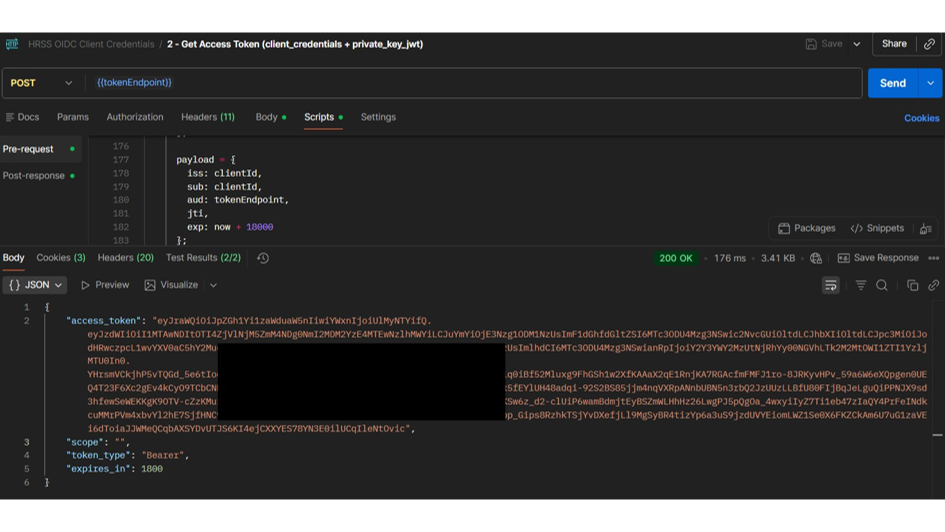
API - OAuth - Postman test collection.
 Geüpdatet
door
Chris Storms
Geüpdatet
door
Chris Storms
This Postman script is provided without any warranty or support. Postman connectivity relies fully on the local machine configuration and local network. The script has significant debugging logs you can consult in the Postman console and use to troubleshoot issues.
How to use Postman to verify OAuth connectivity
Import collection to postman
- Download the following file to your local machine
SDWORX-OAuth-Token-Request-Postman-Collection.json - Open Postman
- File->Import…
- Select the downloaded file
- or press Ctrl+O.
Configure variables for the collection
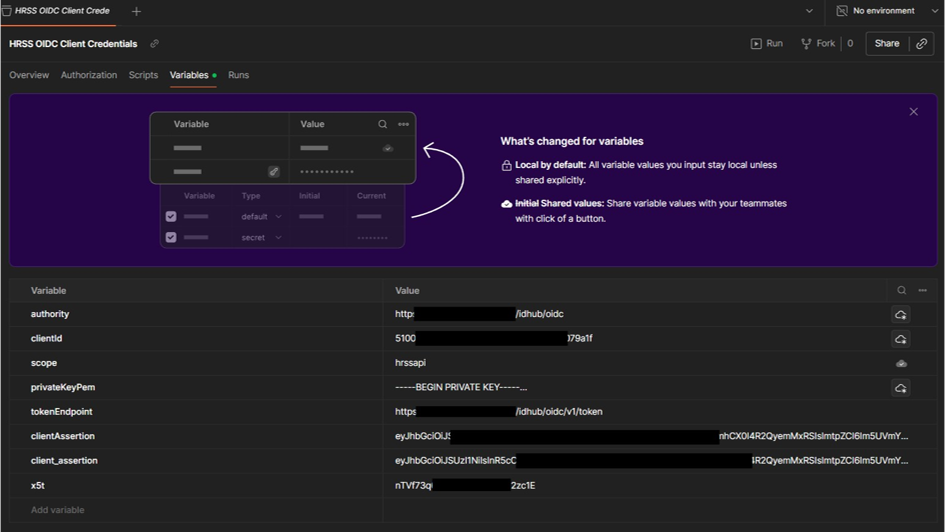
- authority: https://auth.sdworx.com/idhub/oidc
- clientId: [YOUR_CLIENT_ID]
- privateKeyPem: [FULL_certificate.key_FILE_CONTENT]
- tokenEndpoint: https://auth.sdworx.com/idhub/oidc/v1/token
- clientAssertion: [AUTOMATICALLY_POPULATED_LEAVE_AS_IT_IS]
- x5t: [CALCULATED_VALUE_SEE_BELOW]
How to calculate x5t
X5T is a calculated value. In the certificate folder execute following PowerShell script to obtain the x5t
$thumb = (Get-PfxCertificate "certificate.pfx").Thumbprint

$bytes = [byte[]]($thumb -replace '..', '0x$&,' -split ',' | Where-Object { $_ })

[Convert]::ToBase64String($bytes).Replace('+','-').Replace('/','_').TrimEnd('=')
Send POST Request
You should see something similar to: